
Work visually with SysML v2
Create parts, requirements, and behaviors through graphical interactions and focused editors. Spend more time expressing your design intent.
Free Community Edition
Build and explore your system visually. Keep architecture, requirements, and behavior connected in one shared model.
Explore the model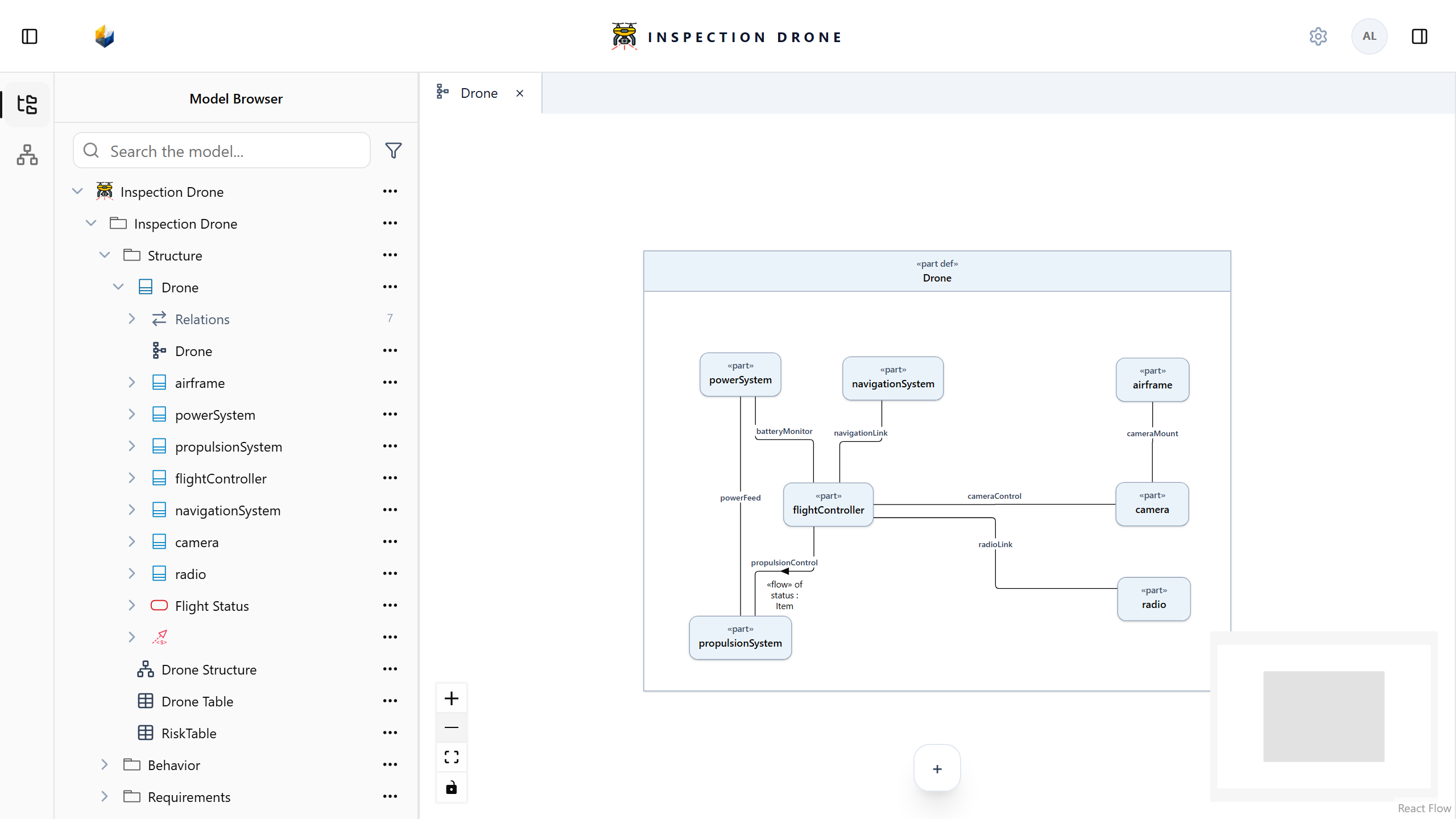
Focus on your engineering
Build a visual system model in SysML v2. Define its parts, capture requirements, and describe behavior. Explore how they relate in one shared workspace.
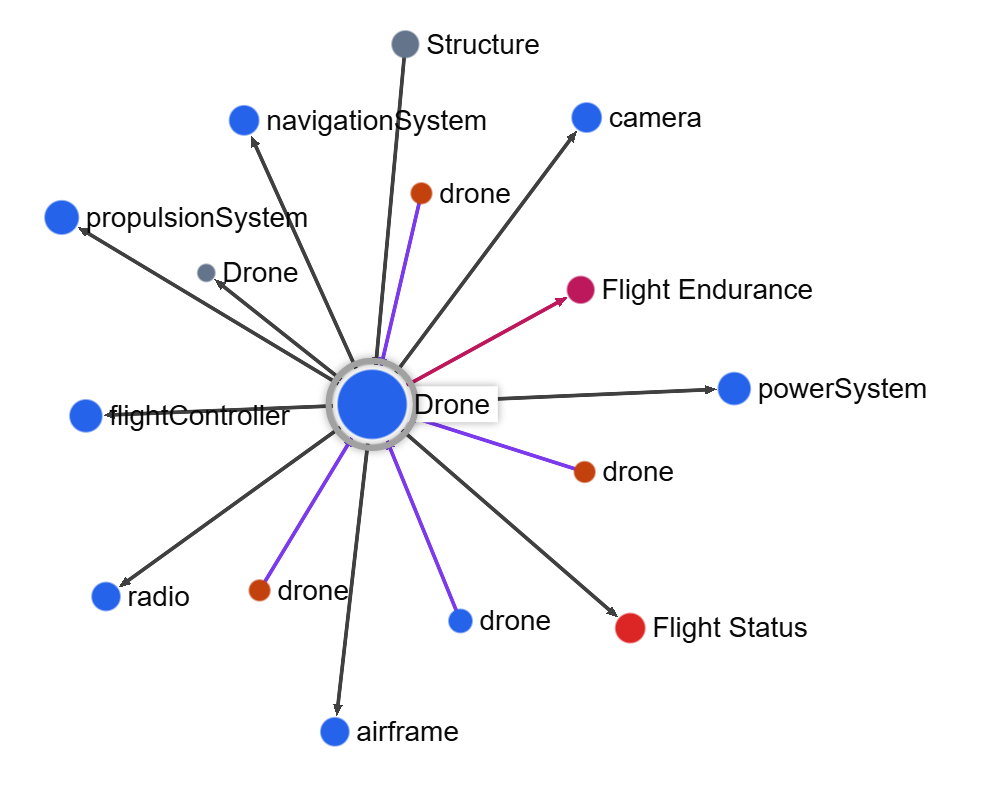
Create parts, requirements, and behaviors through graphical interactions and focused editors. Spend more time expressing your design intent.
Bring architecture, requirements, interfaces, and behavior into one model. Follow the relationships between the elements of your design.
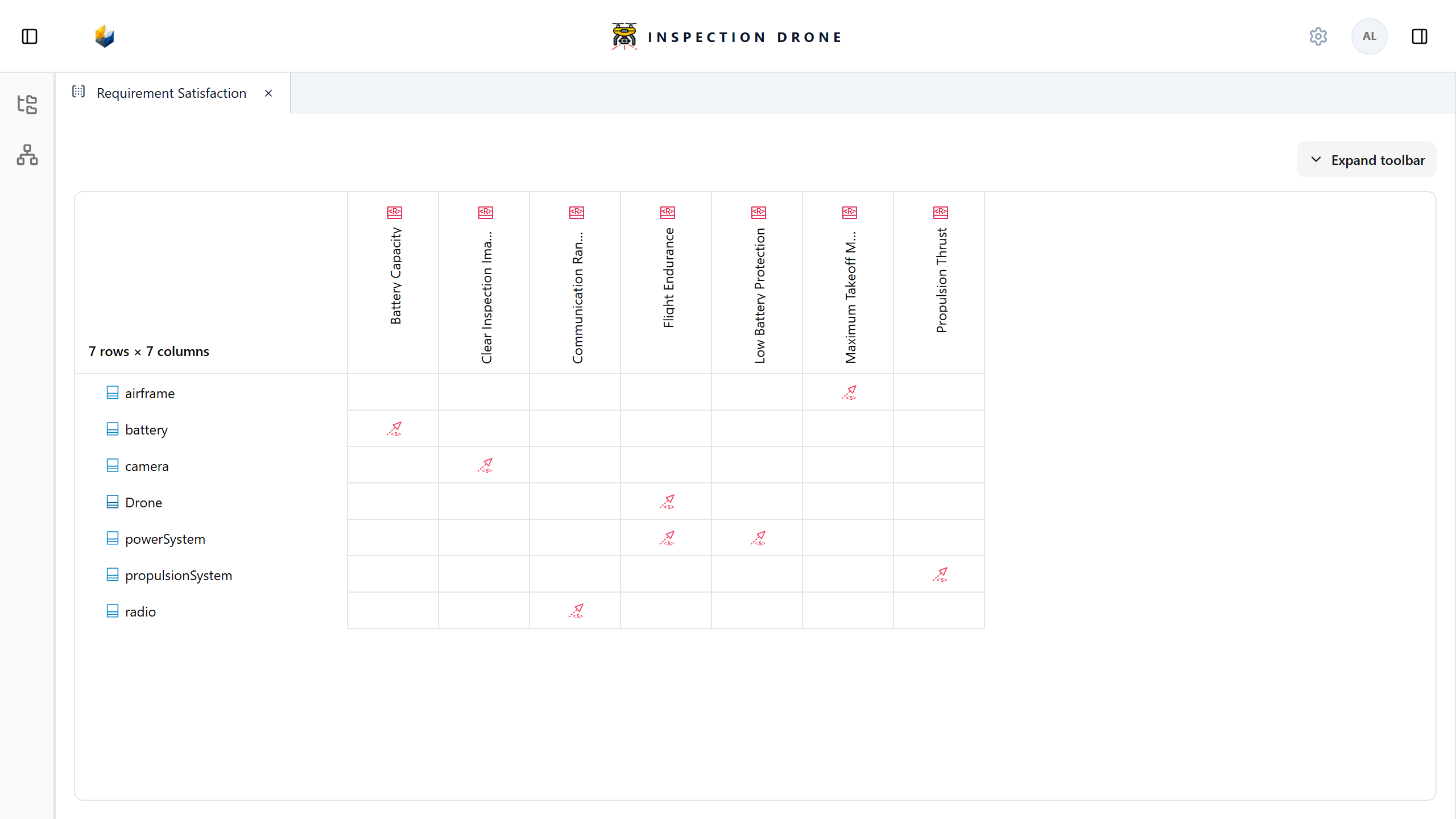
Connect requirements to the parts that satisfy them. Explore those links in diagrams, tables, and relationship matrices.
See it in the model
Explore your system's structure, requirements, and behavior. Each view reveals another perspective on the same connected model.
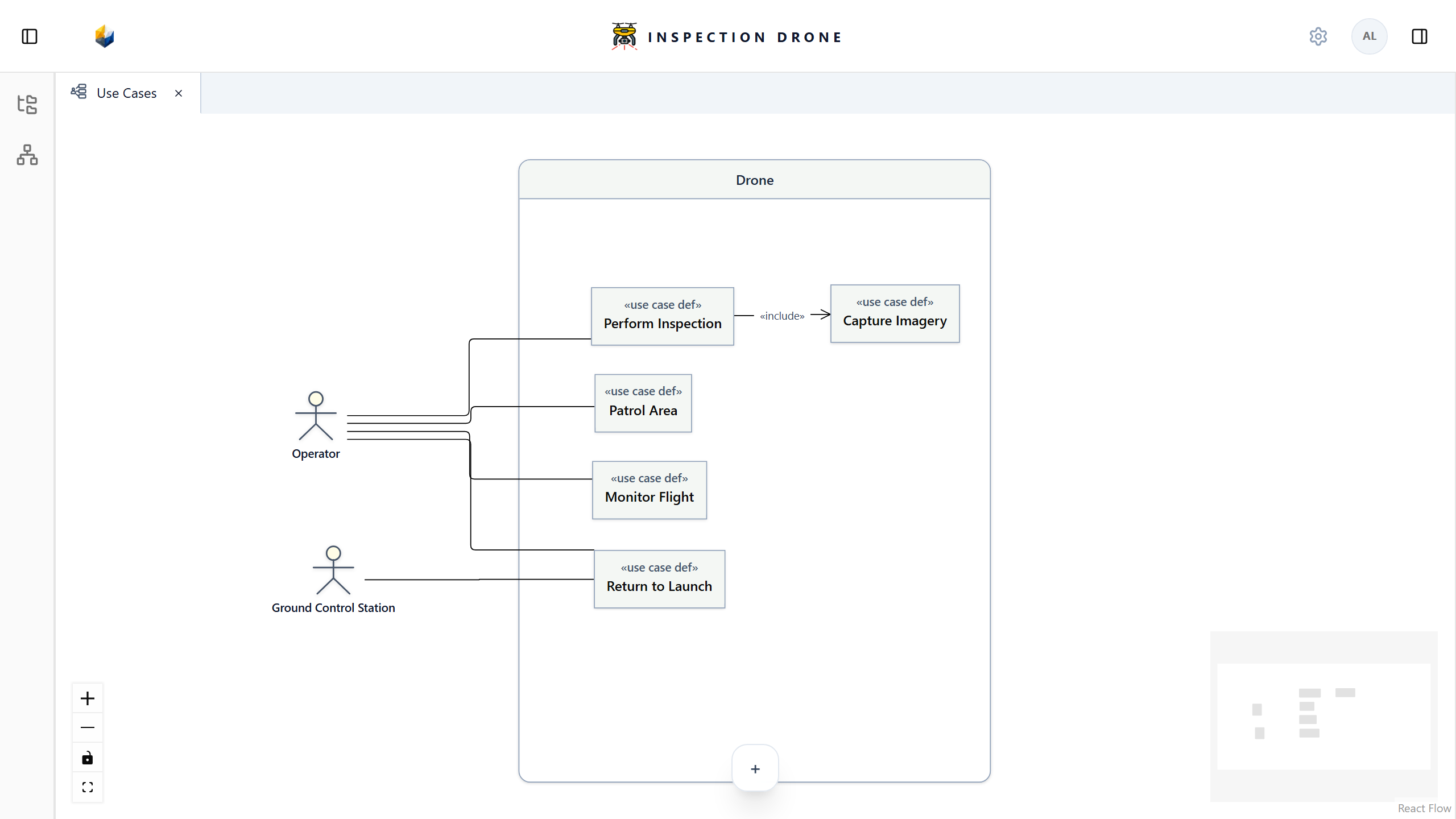
Design your system and its parts in a Diagram. Navigate the same elements through the Model Browser.
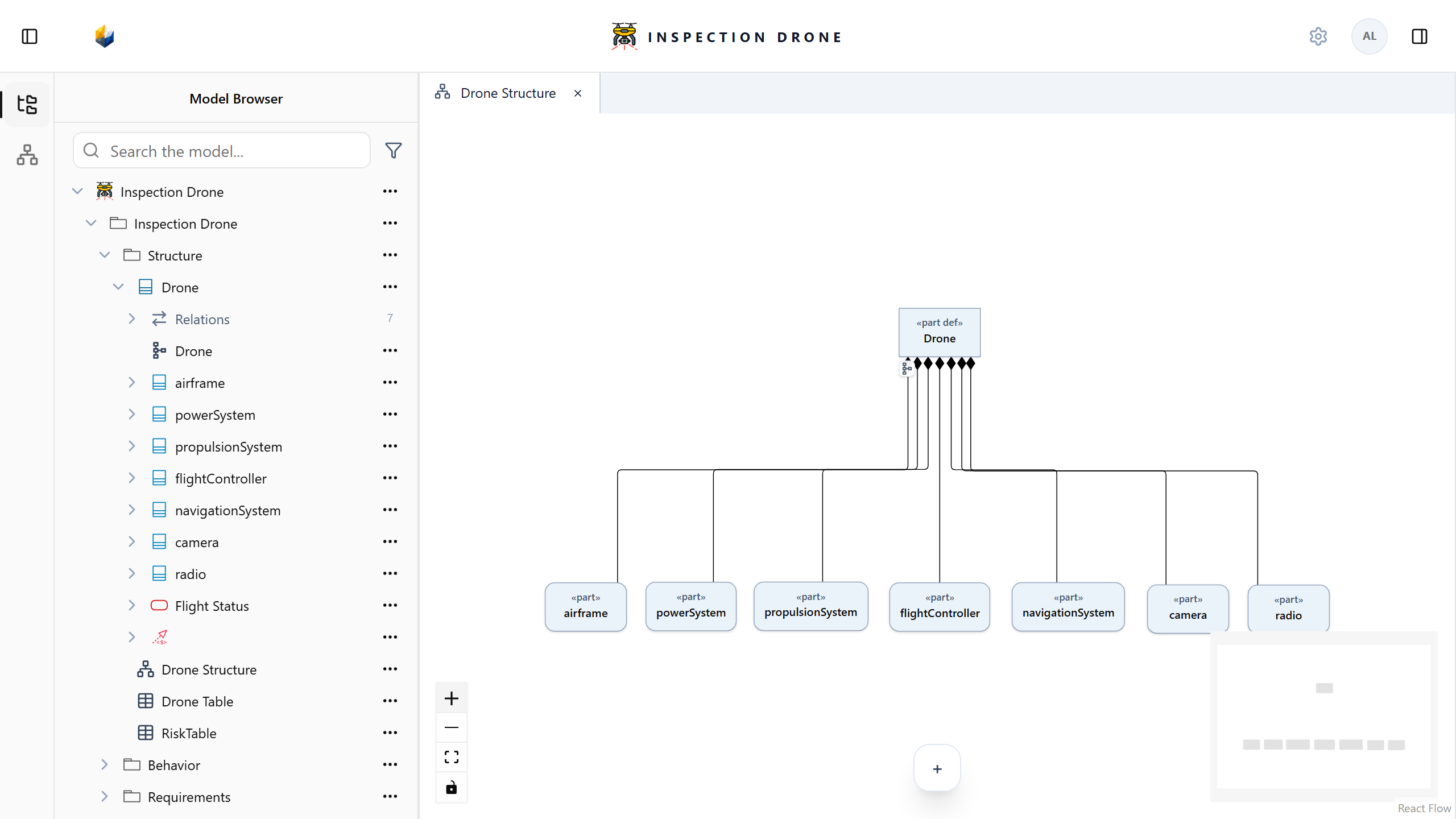
Show use cases within a system boundary and connect them to the actors involved.
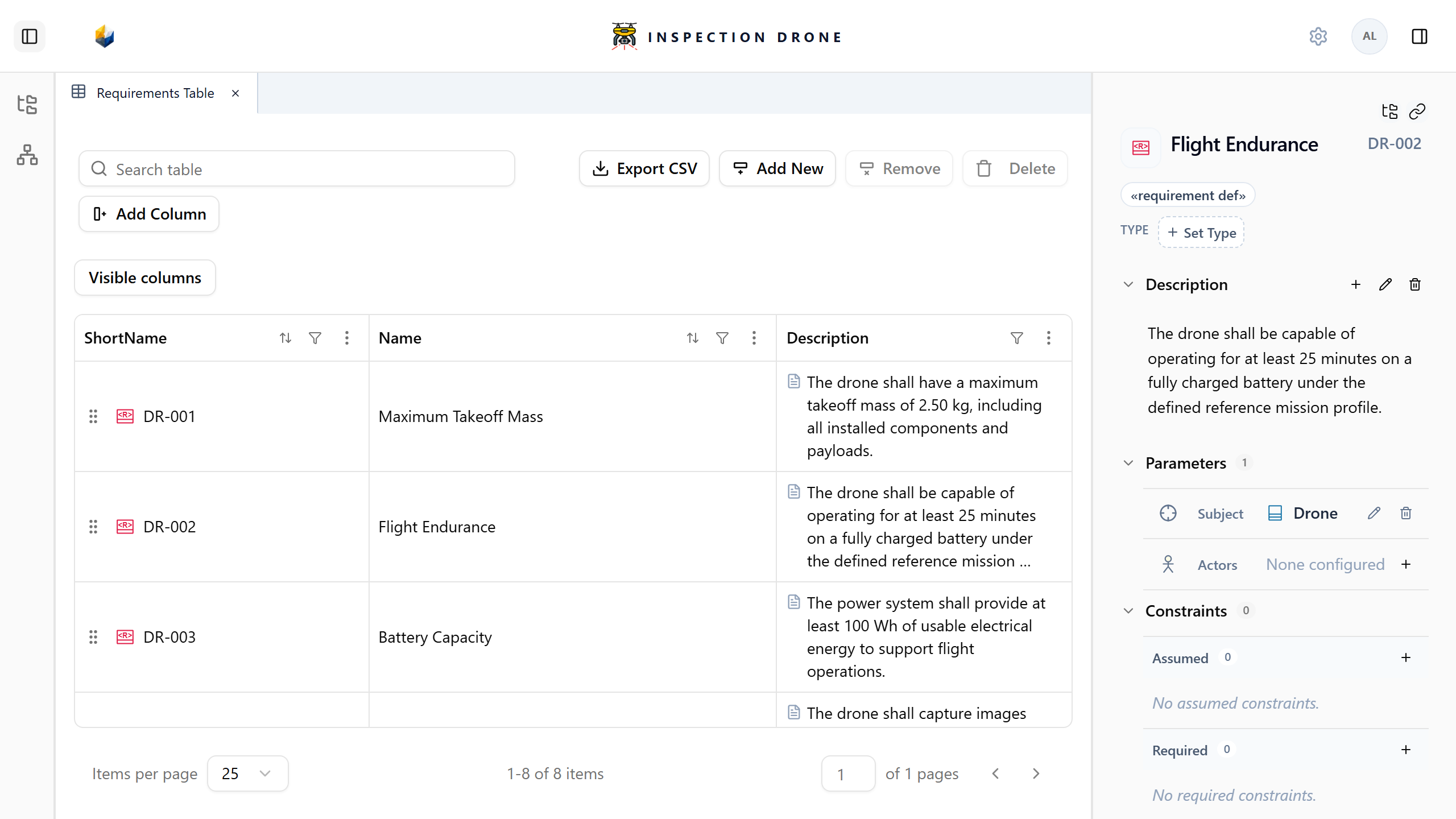
Review requirements in a Tabular view and open their element documentation alongside the table.
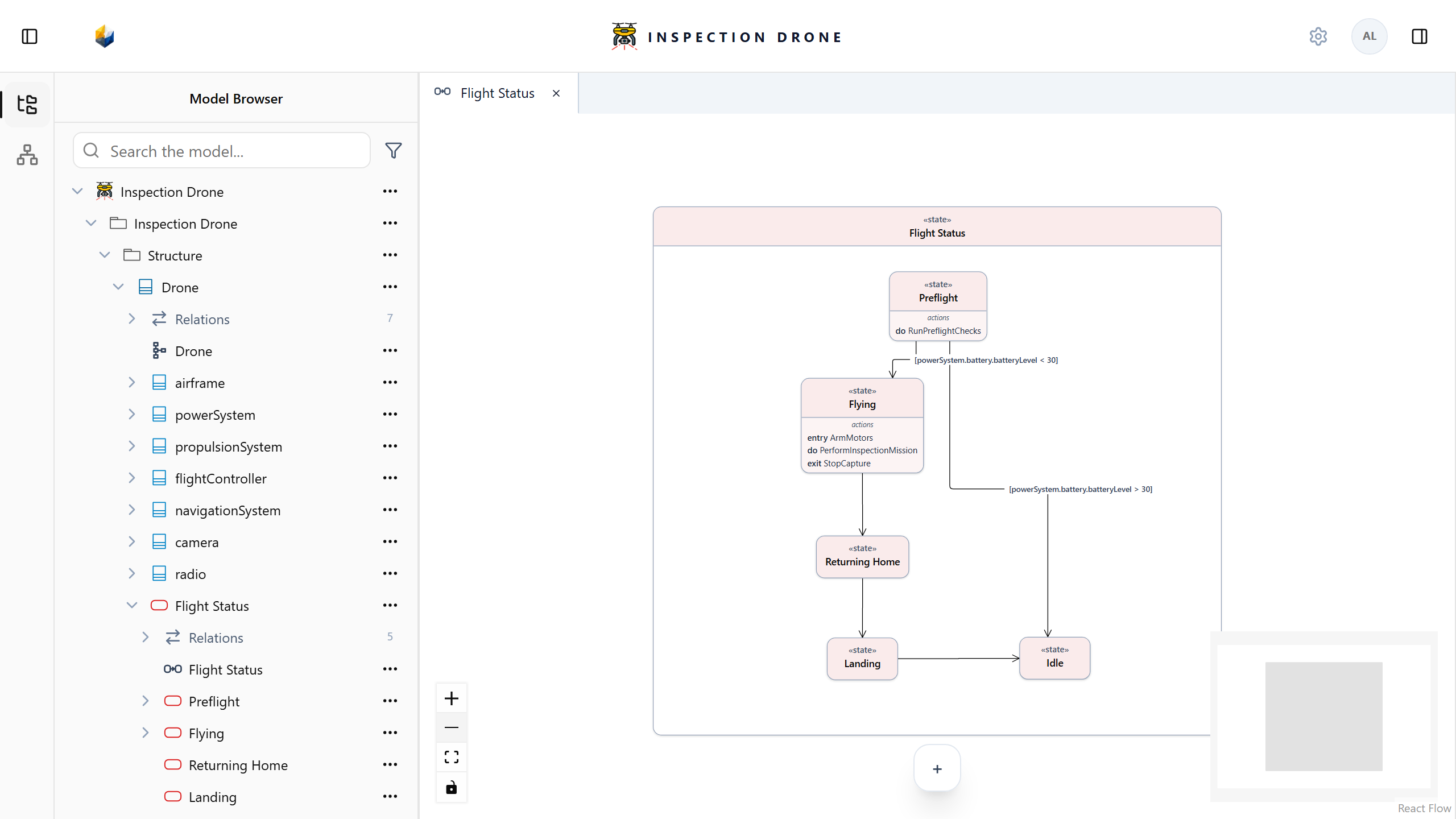
Model system states, transitions, and state actions in a visual view of its behavior.
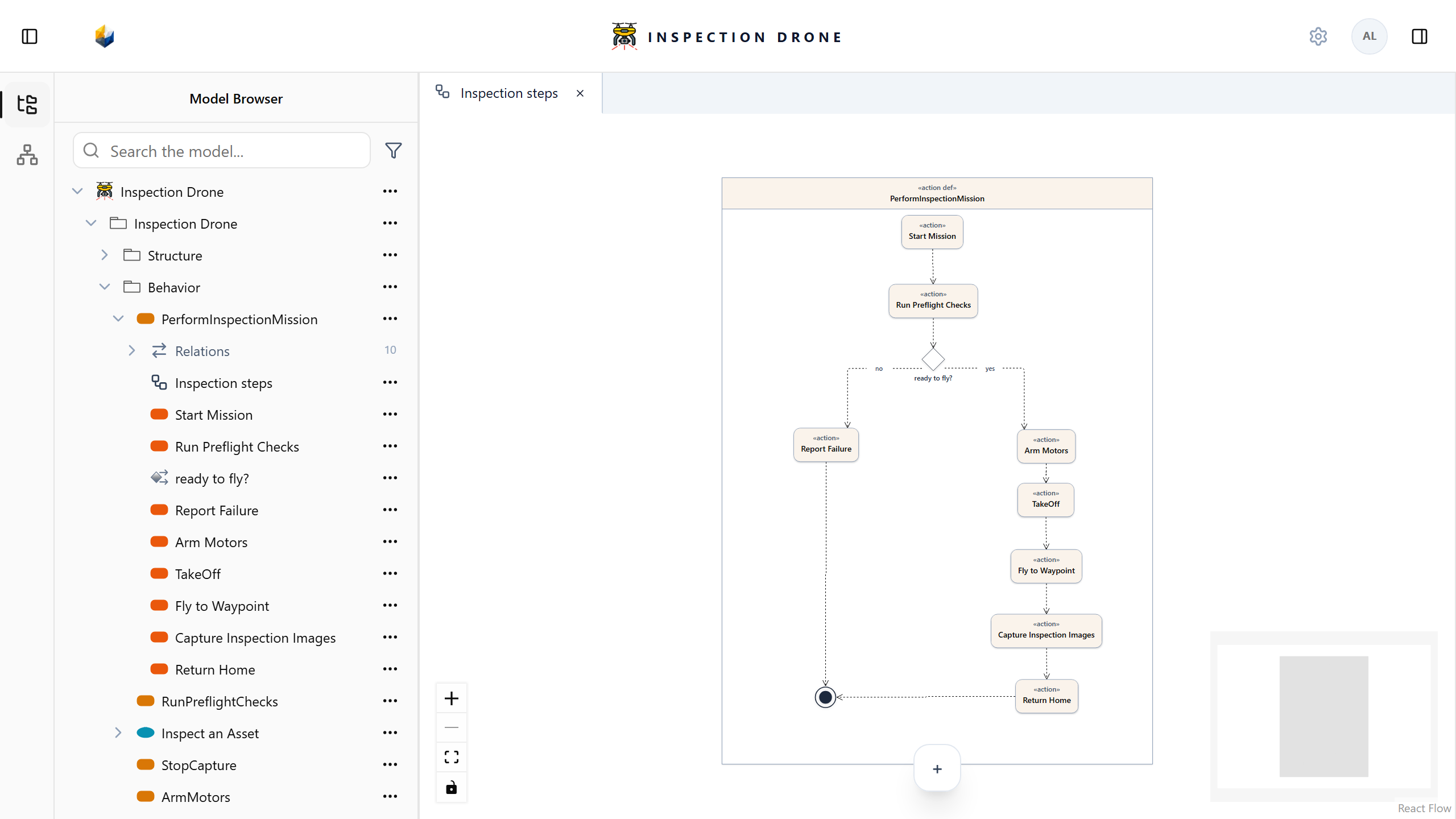
Connect actions into a flow to describe how your system performs a task. Explore the same actions in the Model Browser.
Explore explicit satisfaction relationships between system components and requirements in a relationship matrix.
Engineering is a team effort
Bring engineers into a shared modeling workspace. Work with the same system elements, explore their relationships, and communicate the design through views that suit the task.
Install SES Modeler locally to get started. The installation guides also explain the current setup options for a shared workspace on a trusted network.
Explore installation options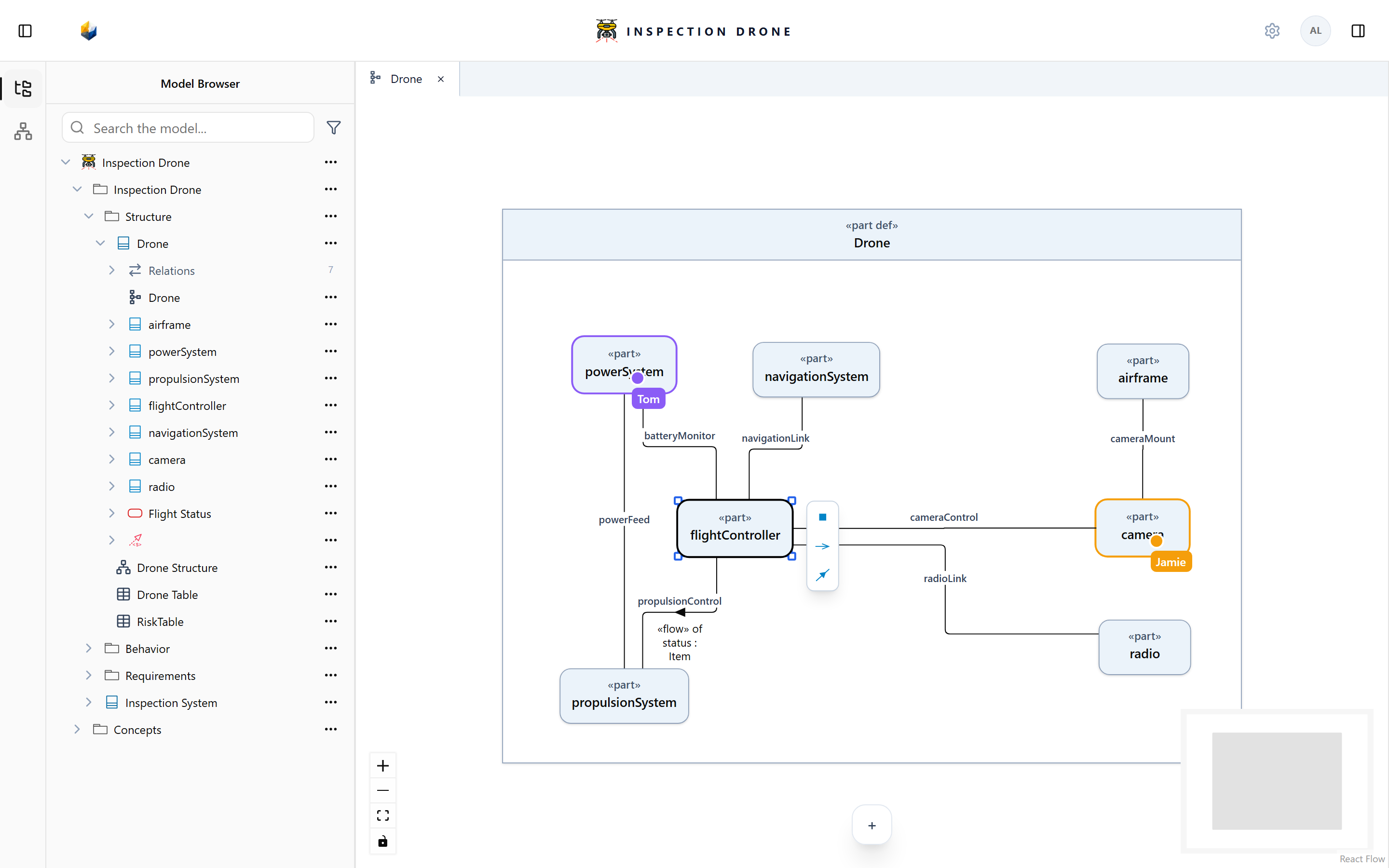
Free Community Edition
Take your first steps with SysML v2. Explore SES Modeler and the guides to help you get started.